

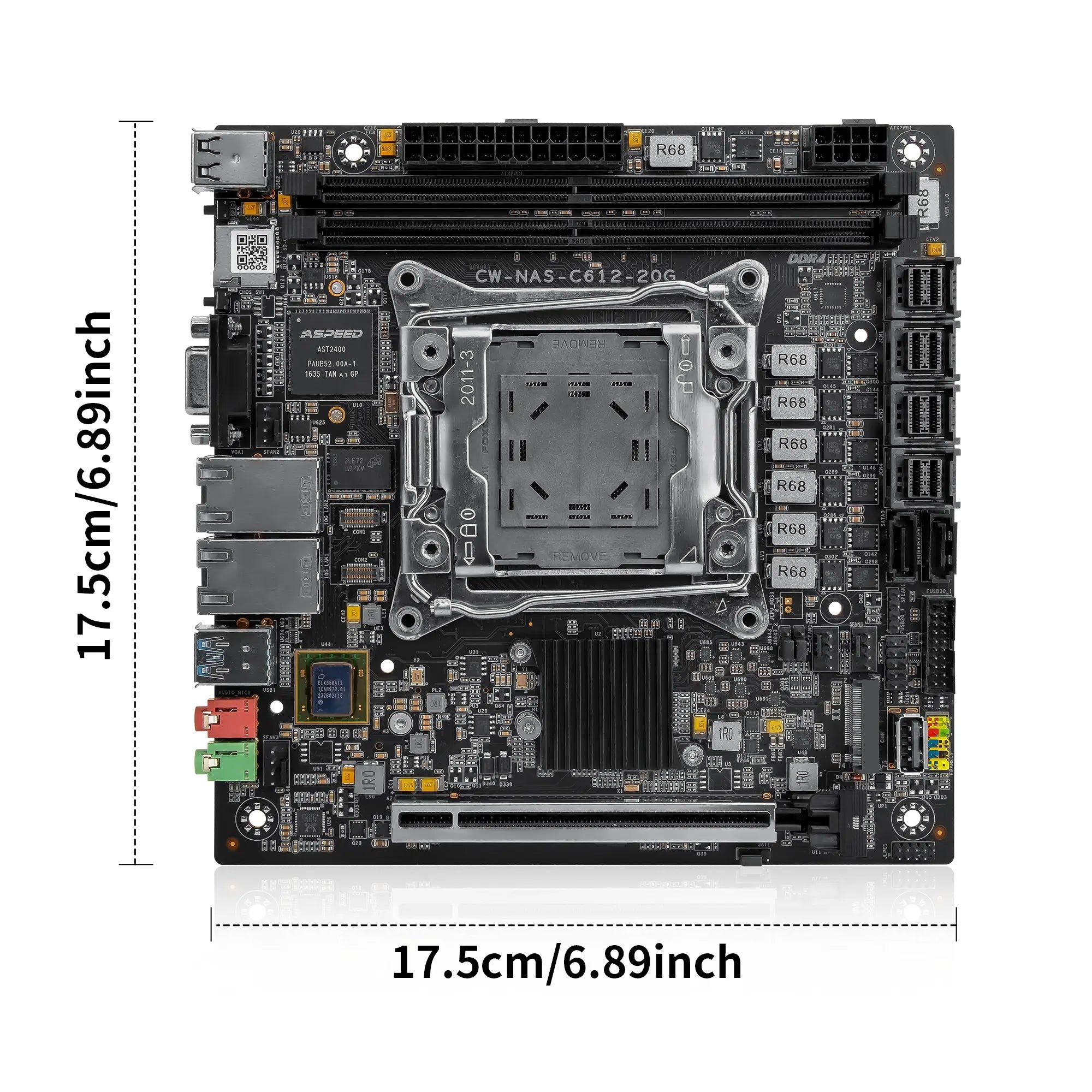
CWWK CW-M61 10GbE NAS Motherboard
Is the CWWK CW-M61 Right for Your NAS Build?
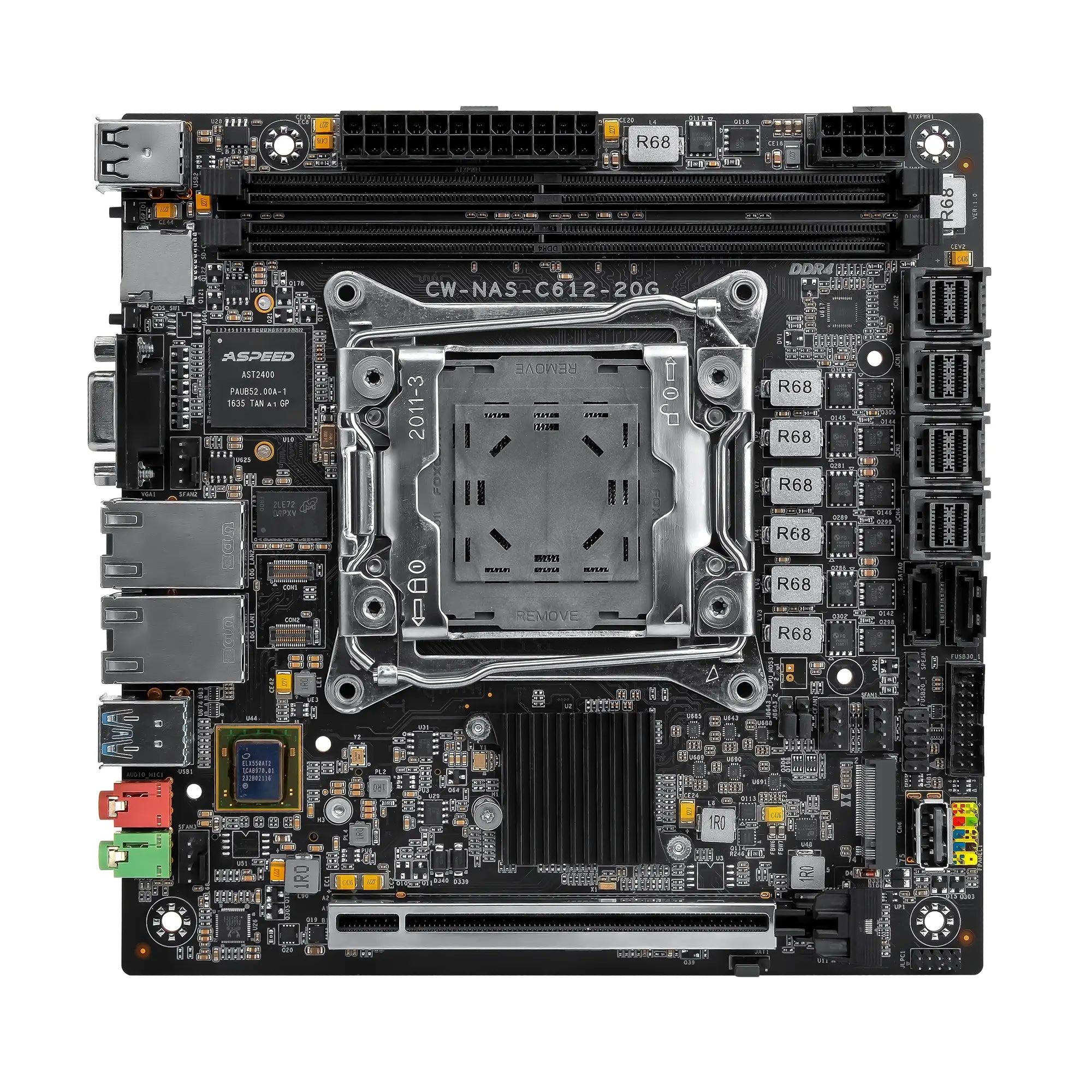
The CWWK CW-M61 is designed for users building a powerful NAS, home server or homelab system with a compatible Intel Xeon processor. It supports up to 128GB DDR4 ECC memory, dual Intel X550 10GbE networking and flexible NVMe, SATA and SFF-8643 storage connections.
Choose the CW-M61 when you need more memory, faster networking and greater storage expansion than a low-power NAS motherboard. Before ordering, confirm the CPU, ECC memory, cooler, chassis, power supply and storage cables required for your build.

Build Your C612 Home Server with the CW-M61
Select a Xeon Processor for Your NAS Workload
The CW-M61 uses the Intel C612 chipset and an LGA2011-3 processor socket, supporting compatible Intel Xeon E5 v3 and E5 v4 processors. This platform provides enough CPU resources for NAS storage, scheduled backups, media services, containers and virtual machines running on the same system.
Xeon E5 v3 processors generally support memory speeds up to DDR4-2133, while compatible Xeon E5 v4 processors can support DDR4-2400. Select the processor according to the required core count, power consumption and number of simultaneous workloads.
Suggested Processor Configurations
| Workload Profile | Xeon E5 v3 Example | Cores / Threads | Xeon E5 v4 Example | Cores / Threads |
|---|---|---|---|---|
| Efficiency-Focused | Xeon E5-2620 v3 | 6C / 12T | Xeon E5-2660 v4 | 14C / 28T |
| Balanced | Xeon E5-2680 v3 | 12C / 24T | Xeon E5-2680 v4 | 14C / 28T |
| High Core Count | Xeon E5-2696 v3 | 18C / 36T | Xeon E5-2696 v4 | 22C / 44T |
PCIe resources: The listed Xeon E5 v3 and v4 processors provide up to 40 PCIe 3.0 lanes, supporting the motherboard's onboard storage connections and PCIe expansion requirements.

CPU Cooler Installation Requirements
| Socket Format | LGA2011-3 Square ILM with approximately 80 × 80mm mounting spacing |
|---|---|
| Installation Method | Direct screw-on mounting to the threaded socket frame |
| Required Fasteners | Compatible M4 spring-loaded cooler screws |
| Cooler Compatibility | Use a cooler designed for the LGA2011-3 Square ILM mounting system |
| Not Recommended | Coolers that rely on plastic mounting hooks, plastic retention rings or motherboard pass-through mounting holes |
Processor support may depend on the motherboard revision and BIOS version. Confirm the selected CPU and cooling hardware before installation.
Configure Up to 128GB of DDR4 ECC Memory
Two full-size DDR4 DIMM slots support up to 128GB of ECC memory, with a documented maximum of 64GB per slot. ECC memory can detect and correct certain memory errors, which is useful for systems that run continuously and store important files.
Larger memory configurations also provide more capacity for file caching, containers, databases and virtual machines.

Use NVMe SSDs for the System and Cache
Two onboard M.2 NVMe slots can be used for the operating system, cache drives or frequently accessed data. This keeps the main PCIe expansion slot available and allows users to separate fast system storage from larger-capacity hard drives.
The motherboard also includes optional CON interfaces for compatible eMMC storage modules.

Expand a Multi-Bay NAS with SATA and SFF-8643
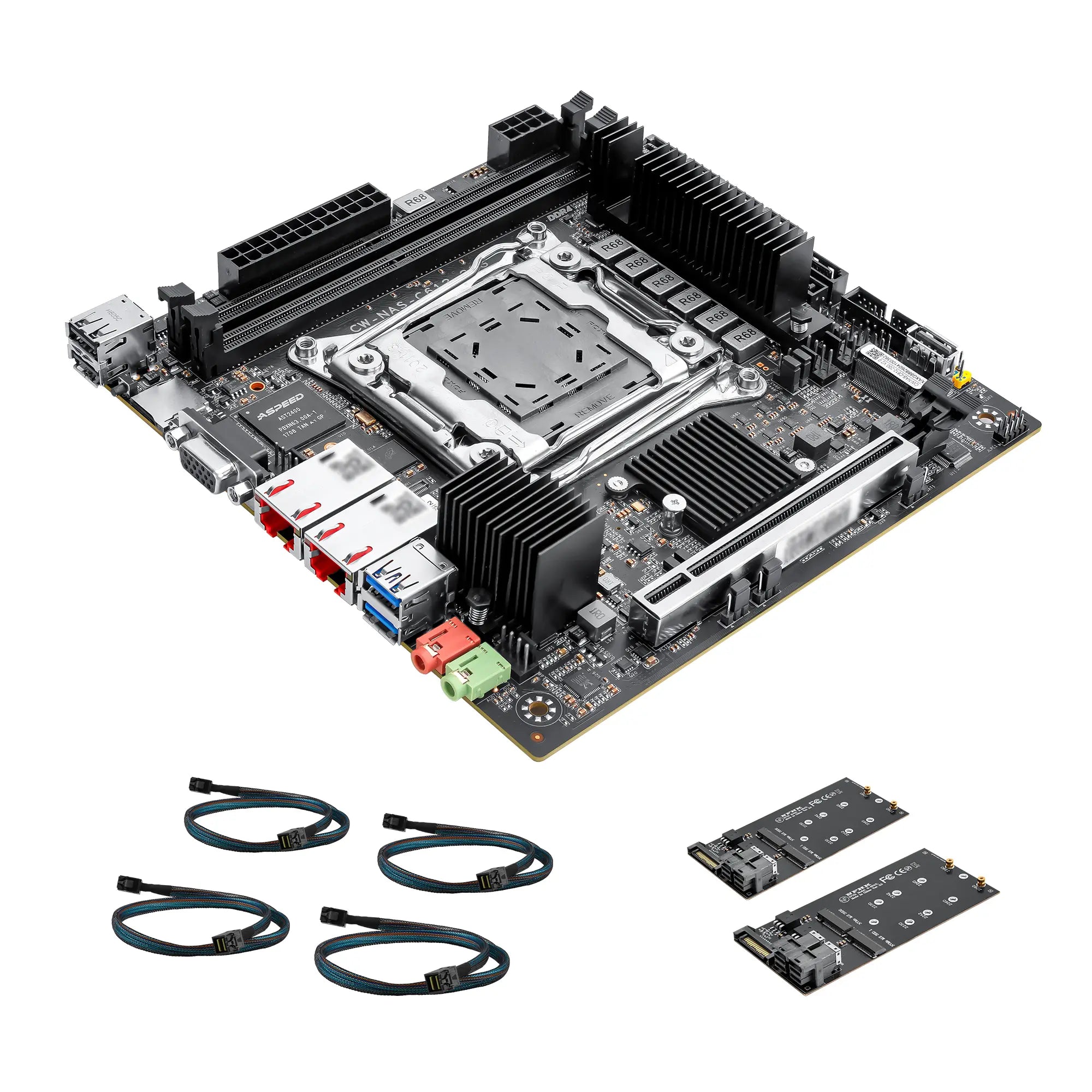
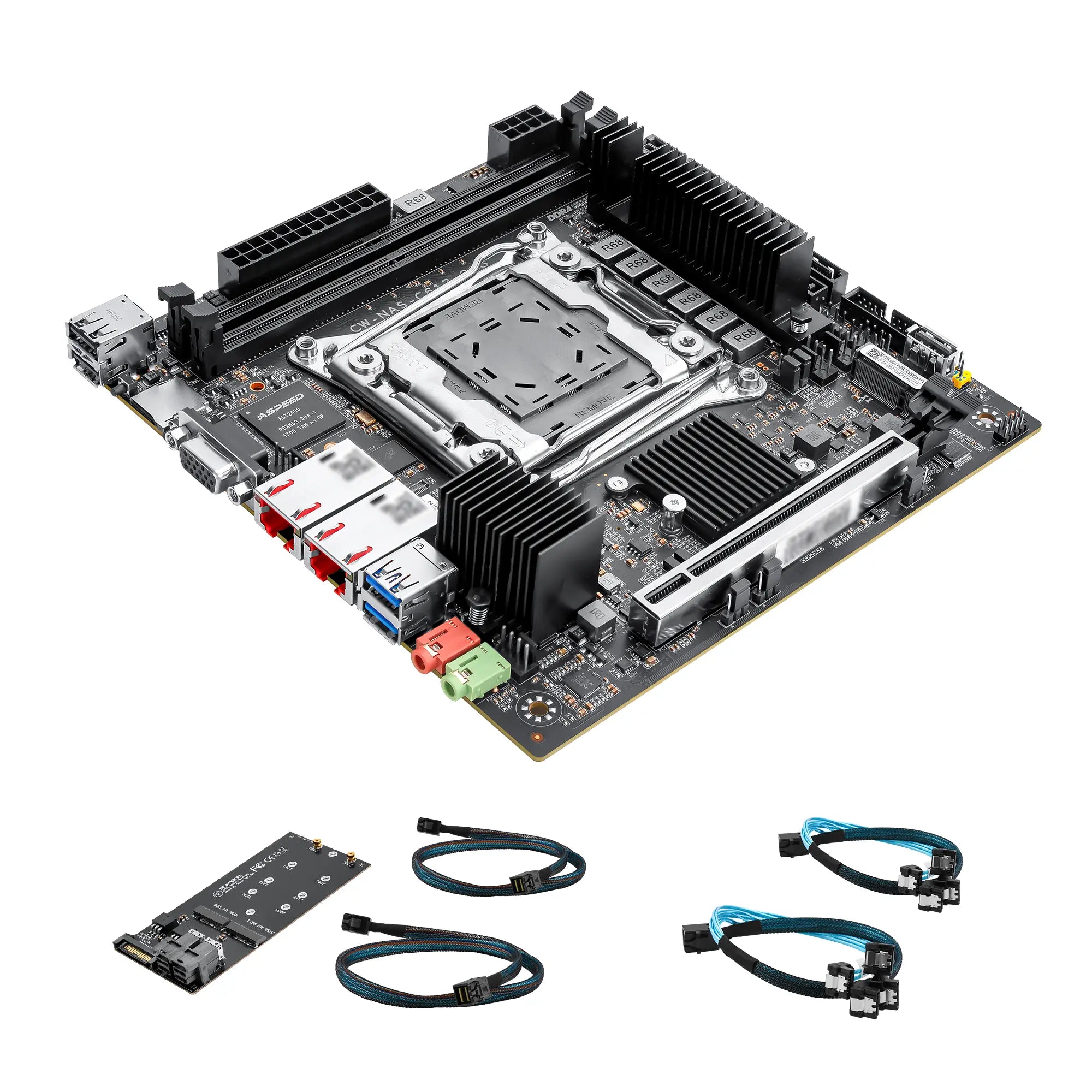
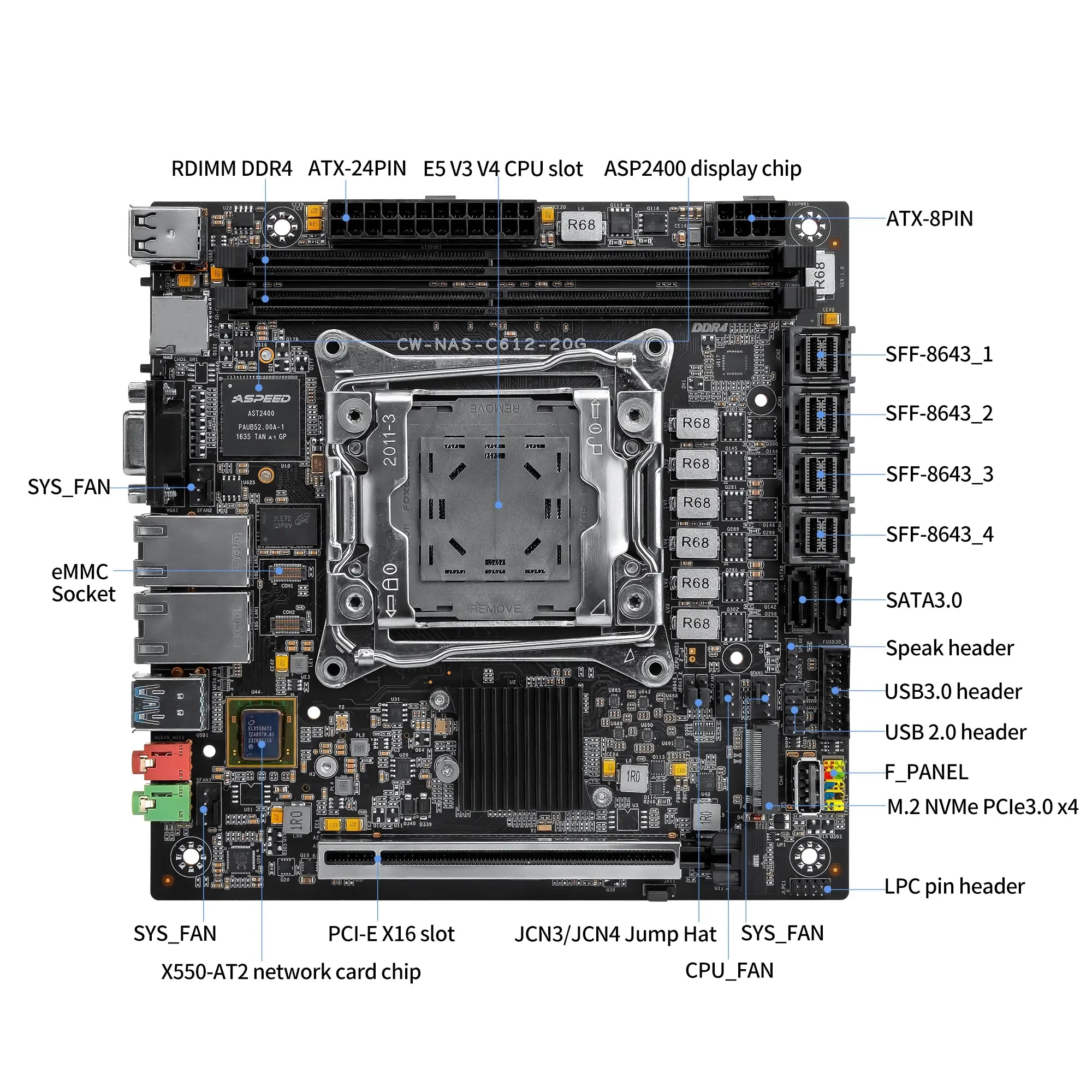
The CW-M61 provides two SATA 3.0 ports and four SFF-8643 connectors for different storage layouts. Compatible cables, adapter boards or drive backplanes can be used to connect additional SATA or NVMe storage.
JCN1 and JCN2 are intended for NVMe connections. JCN3 and JCN4 can be switched between SATA and NVMe modes through the corresponding onboard jumpers.

Connect 10GbE Devices Without an Add-In Card
Two onboard Intel X550 controllers provide dual 10GbE RJ45 connectivity. The system can connect to a compatible 10GbE switch, workstation or storage network without using the PCIe slot for a separate network adapter.
This is useful for large backups, media-file transfers and simultaneous access from multiple computers.

Reserve the PCIe Slot for Future Upgrades
The full-length PCIe x16 slot can be used with a compatible HBA, RAID controller, NVMe adapter or other expansion card.
Because dual 10GbE networking is already built into the motherboard, the expansion slot remains available for storage upgrades or other project-specific hardware.

CW-M61 Intel C612 NAS Motherboard Specifications
| Product Model | CWWK CW-M61 |
|---|---|
| Technical Board Model | CW-NAS-C612-20G |
| Chipset | Intel C612 |
| Processor Socket | LGA2011-3 |
| Supported Processor | Intel Xeon E5 v3 / v4 series processors |
| Memory Slots | 2 × 288-pin DDR4 DIMM slots |
| Memory Type | Dual-channel DDR4 ECC memory |
| Memory Frequency | Up to 2400MHz |
| Maximum Memory | Up to 128GB total |
| Maximum per DIMM | Up to 64GB |
| Network Controllers | 2 × Intel X550 |
| Ethernet Ports | 2 × 10GbE RJ45 ports |
| M.2 Storage | 2 × M.2 NVMe slots |
| SATA Storage | 2 × SATA 3.0 ports |
| SFF-8643 | 4 × SFF-8643 connectors |
| PCIe Expansion | 1 × PCIe 3.0 x16 slot |
| Optional Embedded Storage | 2 × CON interfaces for optional eMMC modules |
| Removable Storage | 1 × SD / TF card slot |
| Display Output | 1 × VGA |
| Rear USB 3.0 | 2 ports |
| Rear USB 2.0 | 2 ports |
| Audio | Line-Out and MIC-In |
| Audio Codec | Realtek ALC269 |
| Internal USB Headers | USB 2.0 and USB 3.0 headers |
| CPU Fan Header | 1 × 4-pin PWM |
| System Fan Headers | 3 × 4-pin PWM |
| Front Panel Header | 1 × FPANEL |
| Diagnostic Header | 1 × 9-pin header |
| I/O Controller | Nuvoton NCT5532D |
| Power Input | 24-pin ATX + 8-pin ATX |
| Motherboard Size | 175 × 175mm |
| PCB Design | 10-layer PCB |
| Operating Temperature | -10°C to 60°C |
| Documented Operating Systems | Windows 10, Windows 11 and Linux |
CW-M61 Setup and Compatibility FAQ
Which Processors Are Compatible with the CW-M61?
The CW-M61 uses the Intel C612 chipset and supports compatible LGA2011-3 Intel Xeon processors. Confirm the exact CPU model, motherboard revision and BIOS version before ordering. Processor power consumption and cooling requirements should also be considered when selecting a compact NAS chassis.
What Type of Memory Should I Buy?
Use compatible DDR4 ECC memory. The motherboard provides two DIMM slots and supports a documented maximum total capacity of 128GB. Memory speeds of up to 2400MHz are listed, but the actual operating speed depends on the processor, memory modules and BIOS settings.
Can I Use M.2 and SATA Drives Together?
Yes. The two onboard M.2 NVMe slots and the SATA interfaces can be used in the same system. A common configuration uses M.2 drives for the operating system or cache and SATA hard drives for high-capacity file storage.
What Are the SFF-8643 Connectors Used For?
The four SFF-8643 connectors provide additional storage connectivity through compatible cables, adapter boards or drive backplanes. JCN1 and JCN2 support NVMe connections, while JCN3 and JCN4 can be switched between SATA and NVMe modes using the onboard jumper settings.
Can I Connect Eight or More SATA Hard Drives?
The motherboard can be used in a multi-drive system, but the final number of SATA drives depends on the SFF-8643 cable type, selected signal mode, storage backplane and any installed HBA or RAID controller. Confirm the complete storage layout before purchasing cables, adapters or a chassis.
Can I Install an HBA or RAID Controller?
Yes. The PCIe x16 slot can accept a compatible HBA, RAID controller, NVMe adapter or other expansion card. Check the card length, PCIe lane requirements, power consumption, chassis clearance and operating-system driver support before installation.
Does the Motherboard Support PCIe Bifurcation?
PCIe bifurcation availability depends on the installed processor, BIOS version and adapter card. Confirm that the required PCIe lane mode is available before purchasing a multi-NVMe expansion card.
Does the CW-M61 Need a Dedicated Graphics Card?
No dedicated graphics card is required for basic setup. The onboard VGA output can be used for BIOS configuration, operating-system installation and troubleshooting. It is intended for system management rather than graphics-intensive applications.
Can I Install TrueNAS or Proxmox?
The technical documentation lists Linux support. Linux-based NAS and virtualization platforms may work, but final compatibility depends on the selected processor, Intel X550 network drivers, storage configuration and installed expansion cards. Check the requirements of the selected operating system before purchasing the complete hardware configuration.
What Power Supply Should I Use?
The motherboard requires a standard 24-pin ATX connector and an 8-pin CPU power connector. Select the total power capacity according to the processor, number of storage drives, chassis fans and installed PCIe expansion hardware.
What CPU Cooler Is Required?
Use a cooler compatible with the LGA2011-3 processor platform and the motherboard mounting layout. Before ordering, confirm the mounting method, cooler height, airflow direction and clearance around the memory slots and chassis.
Does the Motherboard Support Automatic Startup?
Yes. The onboard JAT jumper can be configured for automatic power-on after AC power is restored. This is useful for home servers and NAS systems that need to resume operation without manual intervention.
Are the CPU, Memory and SSD Included?
Package contents depend on the product option selected on the store page. Check whether the selected option includes only the motherboard or a configured package containing a processor, memory or storage before placing the order.
How Do I Choose the Correct BIOS File?
Check the motherboard revision printed on the PCB in the format VER:X.X. Only install BIOS files intended for the same CW-M61 product model and hardware revision.